
Malaysia in December: Weather and Where to Go
Discover Malaysia’s December weather and the best destinations for beaches, sunshine and tropical scenery, from Langkawi to Penang and Borneo.
Published on
Touch ’n Go can be used for certain journeys and purchases in Malaysia, but the physical card and mobile app are not interchangeable. The card is used mainly for public transport, tolls and compatible car parks. The second, called TNG eWallet, is an electronic wallet intended in particular for QR-code payments.
For a French visitor, the card can be useful even without using the app. Access to the wallet depends on the phone number, identity verification and the accepted funding method: it is best to test that it works before relying on it for everyday spending.
In brief
The shared name creates confusion: Touch ’n Go refers to several products, not one account that can be used everywhere. The prepaid payment card and the electronic wallet serve different purposes, even when they appear in the same mobile app.
The physical card uses stored value for payments on compatible equipment. It is mainly associated with travel: accessing public transport, paying tolls and using certain car parks.
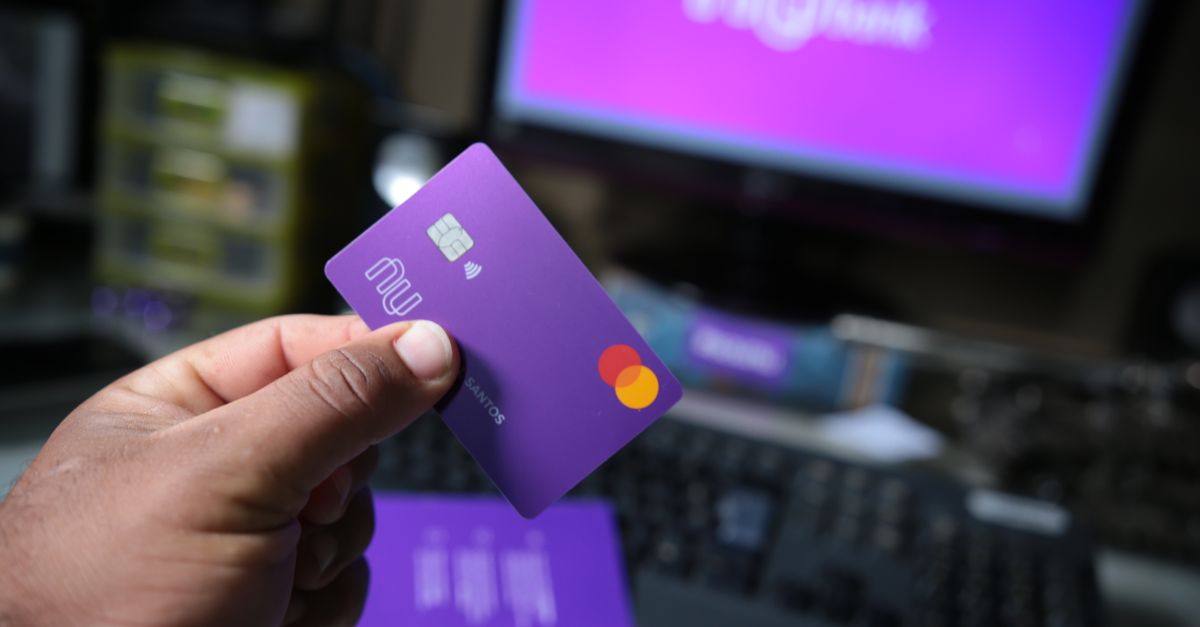
This is not an international bank card. Having it in your wallet does not mean it will be accepted at a restaurant, in a shop or on a merchant website that accepts Visa or Mastercard.
Its purpose is different: it enables contactless payment on a network of dedicated devices. When preparing a stay in Kuala Lumpur, first check your planned journeys and the accepted tickets rather than looking for a supposedly universal payment method.
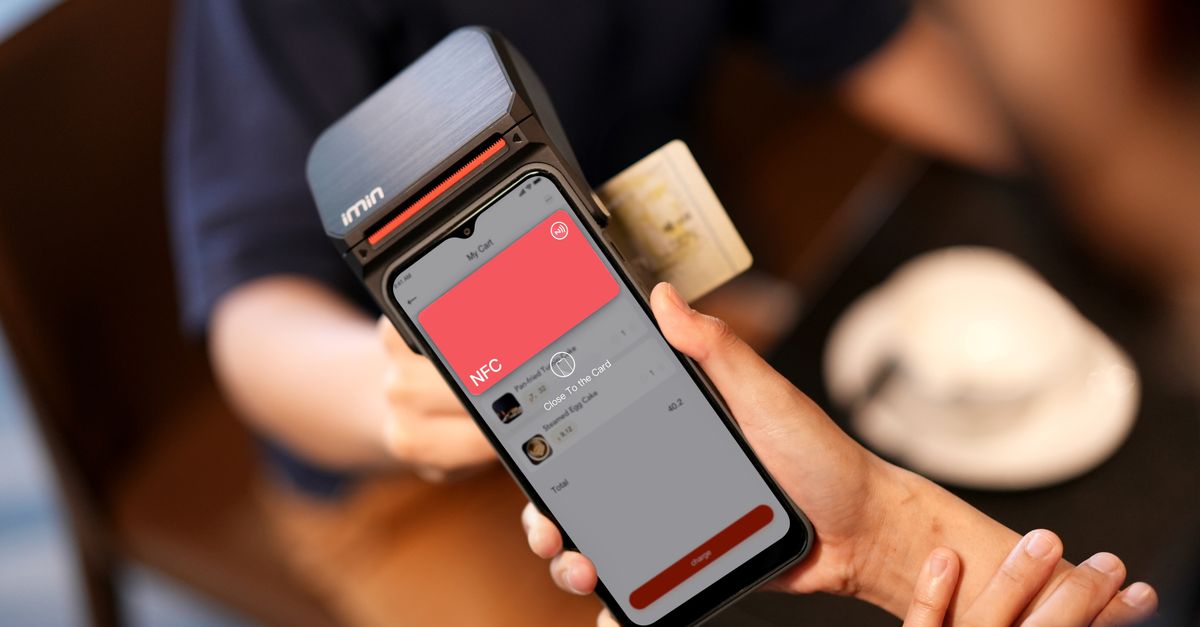
The model you buy also matters. A version with NFC functionality can be topped up using a compatible phone, but this possibility should not be assumed for every older version carrying the same logo.
The eWallet is a separate service, used in particular to pay merchants by QR code. It operates through an account accessed from your phone, with its own account-opening, verification and funding requirements.
A merchant that accepts the wallet does not necessarily accept the physical card. Conversely, transport equipment displaying the brand does not necessarily allow you to show your phone screen to pass through.
| Product | Main use | Key point |
|---|---|---|
| Physical card | Compatible transport, tolls and car parks | It has its own balance. |
| TNG eWallet | Compatible purchases and QR payments | Access depends on the account requirements. |
| Enhanced NFC card | Physical-card uses with compatible mobile top-ups | The phone performs an operation on the card. |
Linking a card to an account does not merge the available funds. An amount shown on the wallet’s home screen therefore does not prove that the card presented at the gate contains enough credit.
This distinction matters after adding funds: check which product was actually topped up. Consult the balance corresponding to the payment method you will use for your next journey, rather than simply confirming that a bank payment was accepted.
Organise your spending by use: journeys on the appropriate card, QR purchases in the app when it works, and other payments by bank card or cash. This also avoids leaving unnecessary money on a service that you barely use during your stay.
The Malaysian ringgit, identified by the code MYR, remains the reference currency for local purchases. Our guide to currency and payment methods in Malaysia places these products among the available solutions.
Before making a purchase or taking a journey, ask: which payment method does the terminal expect? A shared logo guarantees neither a shared balance nor identical acceptance.
A French passport alone does not guarantee that you can open a usable account. For a traveller, several conditions must be met: an accepted number, receipt of verification messages, a recognised identity and a compatible funding method.
Downloading, registering and using the service effectively are separate steps. Being able to install the software on your phone does not mean that all subsequent steps will be available, or that every feature will be offered to the registered profile.
In its 2026 support guidance for Android and iOS, TNG eWallet mentions support for Malaysian and Singaporean numbers. Tourist access is also described as gradually opening according to nationality, so eligibility for all foreign numbers has not been established.
Check the current requirements directly with TNG eWallet before choosing a phone plan for this purpose. Buying a connection on the assumption that it will necessarily receive the activation message would be risky.
A data-only eSIM provides internet access but not necessarily a number capable of receiving SMS messages. It may therefore be suitable for navigation and online communication without solving the wallet’s telephone-verification requirement.
Continued access to the number also deserves attention. If the service later requests another verification, being able to receive its messages remains important: do not treat the number used for registration as merely a temporary accessory.
Follow the requests shown in the official interface and use your own documents. Acceptance of a passport is one stage of the identity check; it is not general confirmation that your number, funding method or every function is compatible.
Avoid arbitrarily changing your country of residence or using someone else’s details to bypass a block. Inconsistent information can complicate a support request, particularly if you later have to prove ownership of the account.
The most useful approach is to check the entire chain before relying on it: account access, required verification, authorised funding and an actual payment with a compatible merchant. Completing registration is only one part of this process.
For a stay mainly devoted to urban travel, the physical card may meet your transport needs without opening the eWallet. For regular purchases from merchants accepting QR payments, the wallet may offer additional convenience, provided it has been fully activated.
Not all the commercial features promoted in an app are necessary for a visitor. Focus on the use you need rather than activating additional services whose conditions you do not need or fully understand.
When preparing practically for arrival in Malaysia, treat phone connectivity and payment methods as being just as important as your first journeys. These elements are connected: internet access helps you manage an account but does not guarantee that you can open one.
The right test is not whether you have installed TNG eWallet, but whether you can actually fund it and pay with it. Until that test is conclusive, keep your usual arrangements.
Before topping up, identify the product to be funded and the fees shown. Adding money to the wallet, topping up a traditional card and crediting an NFC version are different operations, even if some steps take place on the phone.
This distinction avoids a practical mistake: funding the eWallet for a journey when the transport equipment expects value stored on the physical card. Check where the money is going, not only whether the bank debit was successful.
In its 2026 support information, TNG eWallet states that certain foreign-issued Visa and Mastercard credit or prepaid cards may be accepted. The same organisation states that debit-card top-ups have been disabled since 14 April 2026, until further notice.
Check that these conditions still apply with TNG eWallet before carrying out a transaction. The Visa or Mastercard logo on your payment method is not enough to determine its category or whether the service will accept it.
If you are unsure about the type of your French card, ask your bank for confirmation. You need to distinguish how you normally pay for purchases from the classification used for a wallet-funding transaction.
Processing fees may be shown before confirmation. Also check your bank’s terms for foreign-currency transactions: the cost displayed by the app does not necessarily describe all the fees charged.
The enhanced NFC-compatible version can be linked to the app and topped up using a suitable phone. Check both the card model and the device’s capabilities, as installing the software alone does not make this process available.
Follow the positioning instructions shown on screen and wait for full confirmation. Do not rely solely on a bank notification: then check the credit actually recorded on the card intended for the journey.
For a model that does not support this operation, ask Touch ’n Go or the point of sale about compatible top-up locations. Available options, accepted payment methods and any fees must be checked locally.
Start with an amount suited to your immediate needs rather than a reserve covering the entire trip. This limits the money tied up if the funding method stops working or your payment habits change locally.
Before crediting a product with a large amount, also check the refund conditions with the relevant organisation. Prepaid money should not be considered immediately recoverable in your bank account without first checking the procedure.
Your transport budget and merchant spending can be tracked separately. The guide to the cost of living in Malaysia can help you organise these categories without confusing money already deposited in a wallet with a new expense.
Keep useful confirmations, particularly when a debit appears but the balance is not clearly updated. Before repeating the transaction, check the history and, if necessary, contact support to avoid multiplying attempts.
A top-up is complete when the correct balance has been credited and checked. This simple check is more useful than adding a large reserve as a precaution.
At Rapid KL gates, the phone wallet does not replace the physical card. Present the card or another title accepted by the operator; the same caution applies to cashless buses, whose conditions should be checked before travelling.
This difference is particularly relevant on arrival: a funded digital account may not be enough to take the journey you planned. Prepare the ticket or card actually required before joining the queue or boarding the vehicle.
To buy the card, ask Touch ’n Go and the sales points offered by transport operators. Confirm availability, the model sold and the loading arrangements rather than assuming that every ticket office offers the same product.
Present the required card to the reader and follow the validation rules on the network used. When validation is required on exit, keep the same ticket or card accessible until the end of the journey.
Avoid presenting your entire wallet to the reader if it contains several contactless cards. Taking out the relevant one makes reading easier and helps you identify which payment method was used if there is a problem.
Acceptance rules are not uniform throughout the country. For travel outside Kuala Lumpur, check with the relevant operator and consult our guide to transport in Malaysia, without assuming that one network works like another.
Ask the hire company how tolls must be paid and whether a card or device is supplied with the vehicle. Also check who must top it up and how any costs linked to an onboard device will be charged.
The presence of equipment does not mean that you know how it works. Clarify the system actually activated—physical card, RFID device or another solution specified in the contract—and ask which lanes to use.
Do not choose an RFID lane simply because you have the app. This technology relies on a device associated with the vehicle; it is not the same as presenting a prepaid card to a reader.
Prepare the required payment method before reaching the toll and check its balance in advance. The specific rules of driving in Malaysia are also worth reviewing before setting off, particularly to anticipate road signs.
Some car parks accept Touch ’n Go, but compatibility alone does not explain the procedure. At the entrance, check whether the site requires you to present the card at a machine, take a ticket or follow another clearly indicated process.
If the system links entry to the card presented, keep that card available for exit. If in doubt, ask staff how to pay before reaching the barrier instead of trying several products in succession.
Rates, access conditions and accepted methods may vary by operator. Check the information displayed on site; the logo is an indication of acceptance, not a complete explanation of the payment process.
For travel, preparation means having the right ticket or card, the right reader and enough balance. These checks prevent you from discovering the difference between products at a barrier.
TNG eWallet can make everyday purchases easier, but it should not become your only payment method. International cards are common at large urban merchants, while small restaurants, markets and local services may prefer cash or a wallet compatible with DuitNow QR.
The need therefore depends as much on the merchants you visit as on your destination. A shopping centre and a market may not have the same equipment or acceptance conditions.
DuitNow QR is a shared payment system, not the name of an app that every traveller can use without registering. Its logo does not guarantee that your French banking app will allow you to pay the merchant.
With a compatible wallet, follow the process shown on screen. Depending on the code displayed, the amount may be entered automatically or may need to be typed in: always check the beneficiary and amount before authorising the transaction.
For example, when paying for a meal, compare the amount shown with the bill and ask staff to confirm any unexpected beneficiary name. This check concerns the actual destination of the payment, not merely the appearance of the sticker on the counter.
Then wait for confirmation in the app and make sure the merchant recognises the payment. If in doubt, check the history before trying again: a slow screen or unstable connection does not prove that the first attempt failed.
To encourage secure transactions, protect access to your phone and use the locking features offered by the service. Install the software from your device’s official app store, without following an invitation received in an unexpected message.
Never disclose your login code or verification code to a merchant, telephone caller or supposed adviser. A request for help does not require you to let someone take control of your account.
If your phone is lost or you notice unusual activity, contact official support and the relevant financial institutions promptly. Keep the references for disputed transactions, without publishing screenshots containing personal or banking information.
Digital payments leave a useful history for tracking spending and reporting irregularities. They do not, however, remove the need to check the recipient, amount and actual status of every transaction.
Keep a physical card, a backup method from another issuer and a few ringgits. This combination covers more situations than total reliance on your phone: a flat battery, unavailable connection, temporarily inaccessible account or incompatible merchant.
When a bank terminal or cash machine offers conversion into your currency, choose to pay in MYR and decline the conversion offered on site. Check the applicable foreign-currency fees with your bank, as this choice does not guarantee that there will be none.
Budget tracking is also easier when kept simple: distinguish money deposited into the eWallet from purchases subsequently made using that balance. Adding the top-up and every purchase as if they were separate outgoings would distort your calculation.
The most practical solution remains the one you can use, monitor and replace if there is a problem. Acceptance at the counter matters more than the number of apps installed.
Yes. The physical card can be used on compatible equipment when it has a sufficient balance. The app is not required for every use; top-up arrangements depend in particular on the model.
Do not assume that this is possible. TNG eWallet’s 2026 support information mentions Malaysian and Singaporean numbers, while tourist access also depends on the profile. Check the current conditions directly with the service.
Not on its own. The wallet and physical card have separate balances, and the phone does not replace the ticket or card required at the gate. Check the balance on the card used for your journey.
No. This process applies to compatible NFC versions and requires a suitable phone. Check the model before buying and check the card balance after the operation.
Yes. A few ringgits remain useful when a merchant does not accept your usual payment method or a digital service is unavailable. Also keep a physical bank card and a backup payment method.
Discover Malaysia’s December weather and the best destinations for beaches, sunshine and tropical scenery, from Langkawi to Penang and Borneo.

Discover Redang Island: paradise beaches, snorkelling in turquoise waters and practical advice for choosing the best time to visit.

Discover Pangkor Island, from its beaches and fishing villages to ferry access, activities and practical tips for planning your stay.

Discover Sepilok in Borneo and observe orangutans in the rainforest, while learning about rehabilitation and wildlife conservation.

Explore the Kinabatangan River in Borneo with boat safaris, proboscis monkeys, orangutans, pygmy elephants and rainforest wildlife.
Discover Malaysia itineraries for 10 days, 2 or 3 weeks, with essential stops and practical advice for organising your trip.

Discover roti canai, Malaysia’s flaky, crisp breakfast flatbread, served with curry or dhal and enjoyed at mamak restaurants or home.
Discover Sipadan, Borneo’s legendary island: diving permits, the best season and practical advice for planning your underwater adventure.
Scroll to see more articles →